Hidden Countdowns
The hidden countdown option allows the campaign pop-up to be dismissed after a certain amount of time or navigate to a different tile when the time expires.
Here are the steps to add a hidden countdown to any campaign:
- Navigate to the Inputs option and select Countdown
- Set the time after which you want your campaign to be closed
- Set the Post-countdown action to Close
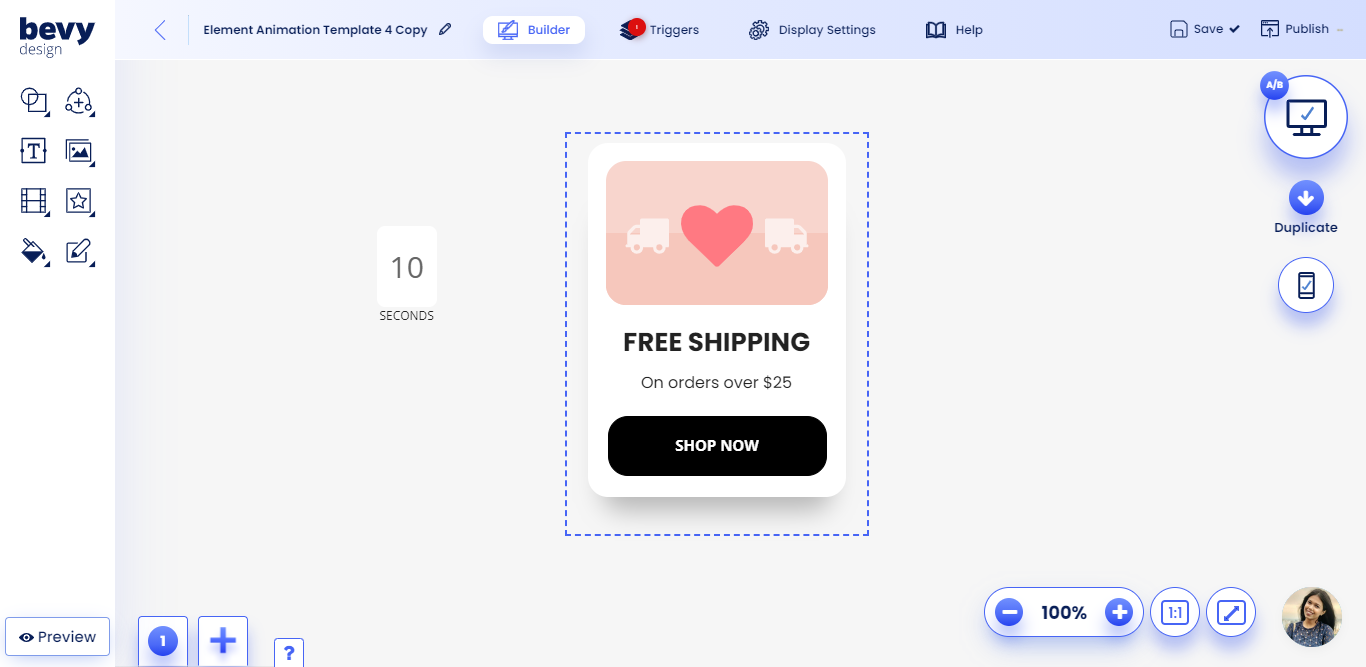
- Place the countdown element outside of the frame of the campaign as shown in the screenshot below
Youve done it! Your campaign will now close after being displayed for a certain amount of time.