Klaviyo
-
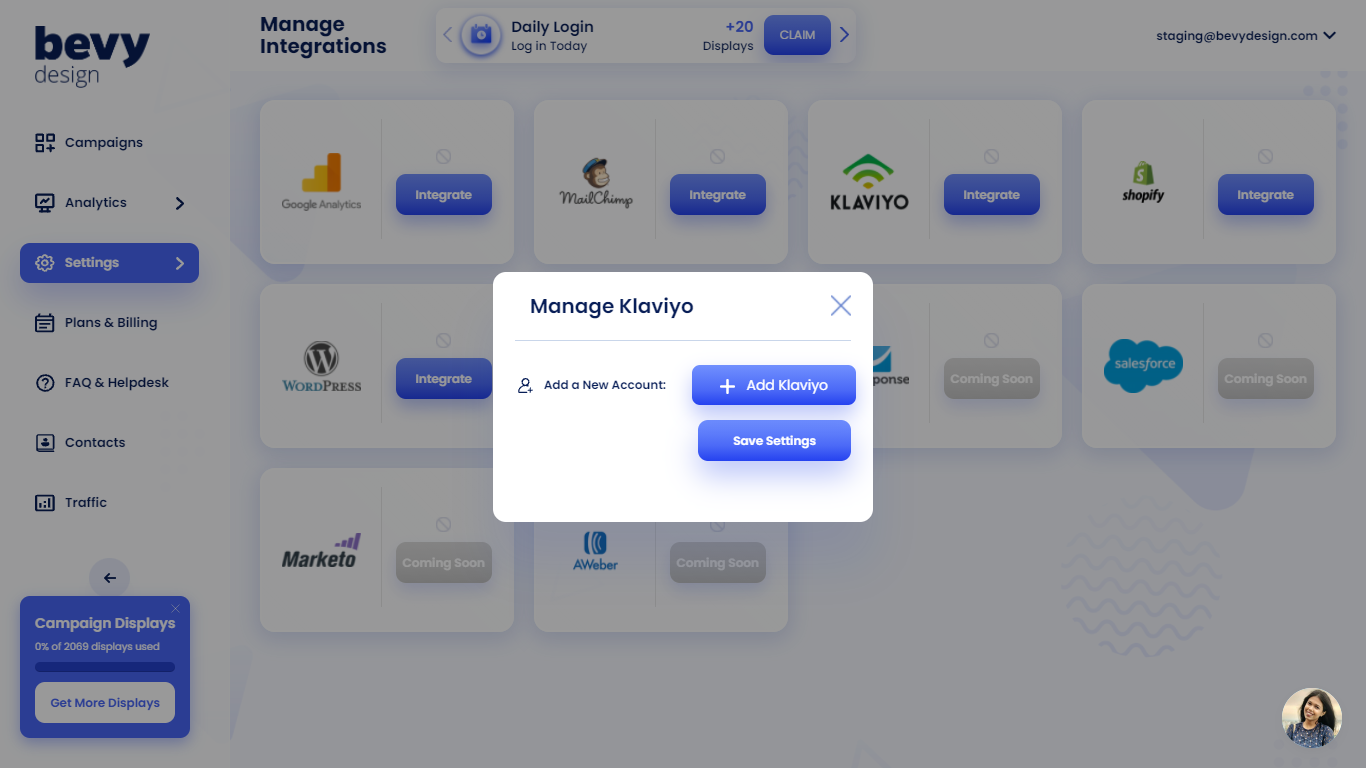
Head into the integrations tab in Bevy Design and click the 'Integrate' button beside Klaviyo.
-
A pop-up will appear. Click 'Add Klaviyo.' A box will then appear for the Klaviyo API key.
-
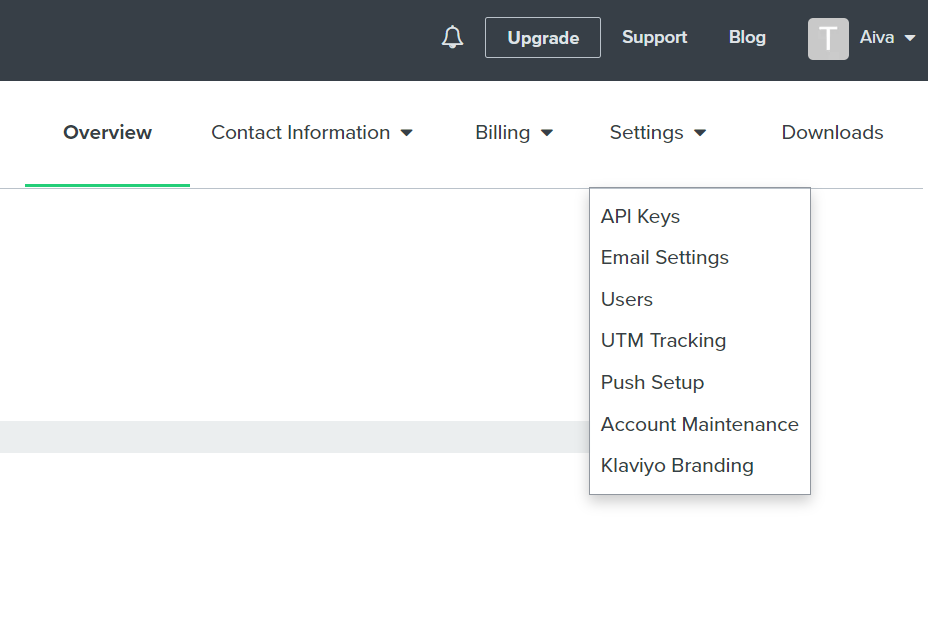
Open Klaviyo. In the top right corner, use the drop down menu and click 'Account.'
-
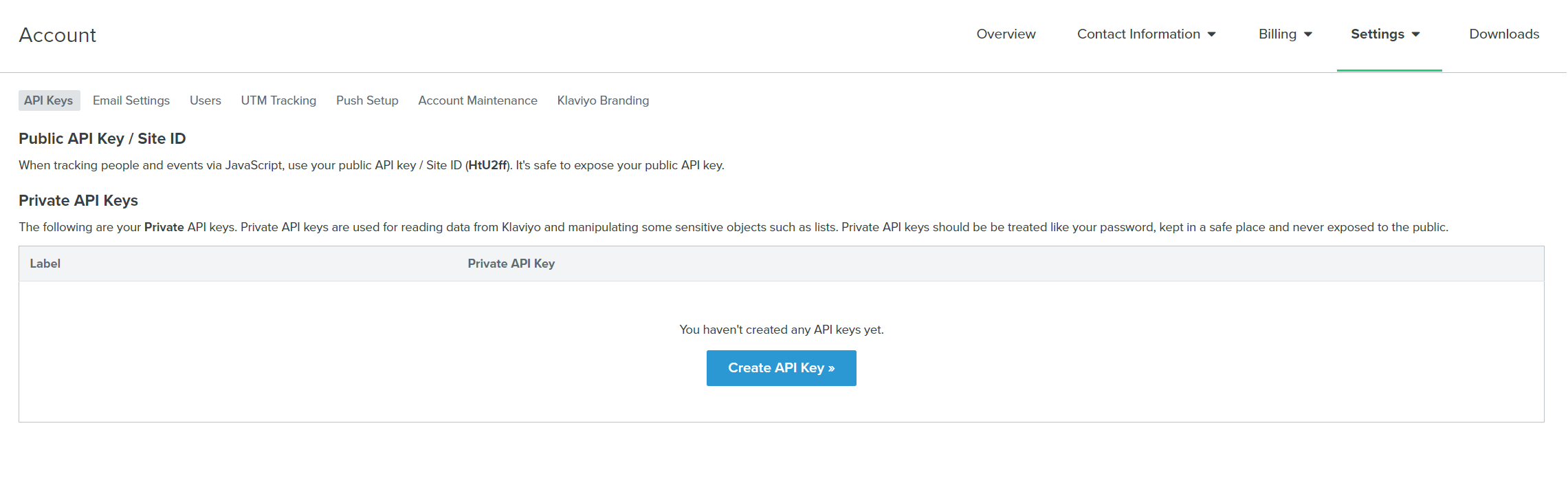
In the Account tab, go to 'Settings' -> 'API Keys'
- Click on 'Create API Key' and copy the key.
-
Paste the key back in the box in step 2.
-
After adding the API key back into Bevy Design, in the step above. To link a campaign, drag and drop the desired campaign from the "Unlinked Campaigns" table into the "Linked Campaigns" field above.
Now Klaviyo will be integrated with Bevy Design!