Rule Matching Types
When creating a Smart Rule for a sale, you must define how the app evaluates your filter conditions. The Rule Matching Type determines whether a product must satisfy every condition you set, just one of them, or a complex grouping of criteria.
Selecting the correct logic is essential for ensuring your sale targets the exact products you intend to discount.
Three Rule Matching Types#
Price Rules provides three ways to combine your conditions:
| Matching Type | Logic Operator | Behavior |
|---|---|---|
| Match All Rules | AND | The product is included in the sale if it matches every rule you define. |
| Match Any Rule | OR | The product must match at least one rule to be included. |
| Combination | AND/OR | The product must match a custom group of rules. |
1. Match All Rules (AND Logic)#
Use this option when you need precise targeting. With Match All Rules, a product must match every defined rule to qualify. If it fails even one condition, it will be excluded from the sale.
Example:#
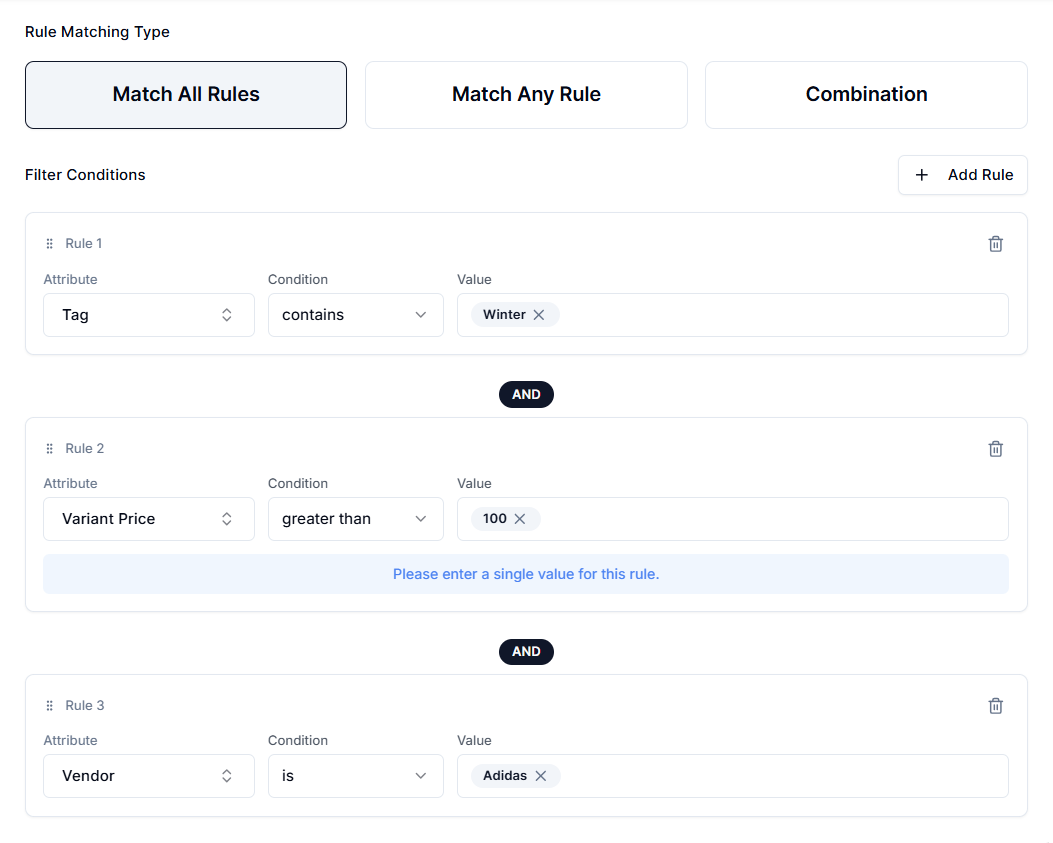
You want to run a clearance sale for "Winter" items priced above $100 from the vendor "Adidas" that are overstocked. You’ll need to set the following rules:
Rule 1:
Attribute → Tag Condition → contains Value → Winter
Rule 2:
Attribute → Variant Price Condition → greater than Value → 100
Rule 3:
Attribute → Vendor Condition → is Value → Adidas
Result: The sale includes only products tagged "Winter", priced over $100, AND from the vendor Adidas. An Adidas jacket tagged "Winter" but priced at $80 isn’t included. A $150 Winter coat from Nike is also ignored.
When to Use Match All Rules?#
- When strict qualification criteria are required.
- When every defined condition must be satisfied for inclusion.
- Best for tightly scoped, margin-controlled, or rule-dependent campaigns.
2. Match Any Rule (OR Logic)#
With Match Any Rule, a product only needs to meet one of your defined conditions to be included in the sale.
This rule is ideal for broader campaigns where products from different categories, tags, or naming patterns should all qualify under a single promotion.
Example#
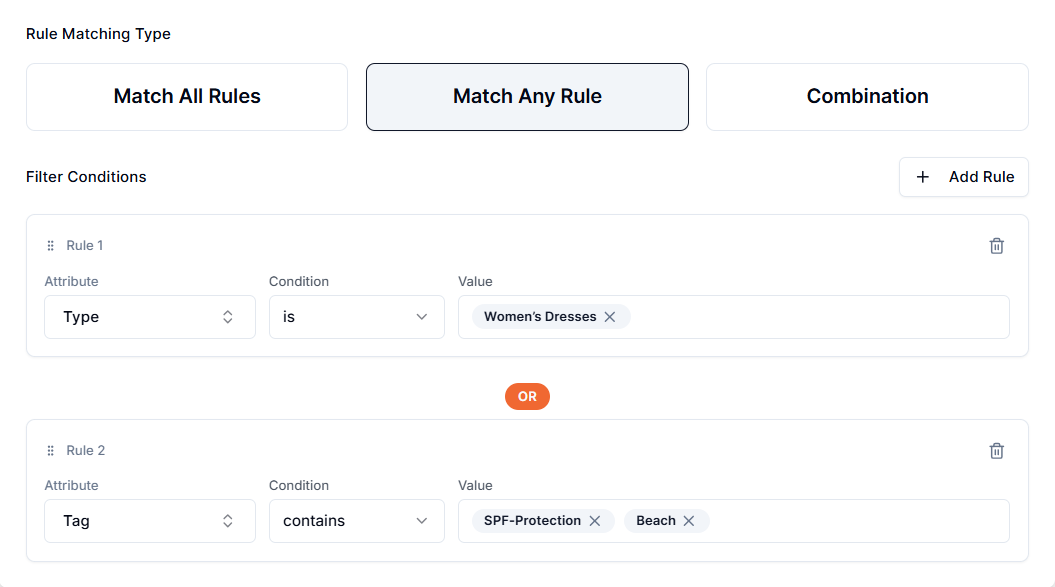
You’re planning to run a "Summer Essentials" sale that includes women’s dresses or anything with specific tags:
Rule 1:
Attribute → Type Condition → is Value → Women’s Dresses
Rule 2:
Attribute → Tag Condition → contains Value → SPF-Protection, Beach
Result: The sale includes all Women’s Dresses, plus ANY product that contains the tag "SPF-Protection" or "Beach", even if it’s not a dress.
When to Use Match Any Rule?#
- Running broader campaigns that span multiple categories, tags, or attributes.
- Products can qualify through different merchandising paths.
- For seasonal events, storewide promotions, or marketing-driven sales.
- When inclusivity and reach are more important than strict filtering.
3. Combination#
The Combination type gives you full control over how rules interact by mixing AND and OR logic. This is ideal for advanced promotions where "Match All Rules" or "Match Any Rules" isn’t flexible enough.
How Does It Work?#
- You create Rule Groups.
- Rules within a group use AND logic (all conditions in that group must match).
- Groups are connected by OR logic (a product only needs to match one group).
- You can drag and drop rules between groups to reorganize them.
Note: To use drag-and-drop, you must add at least two rules inside a group.
Example:#
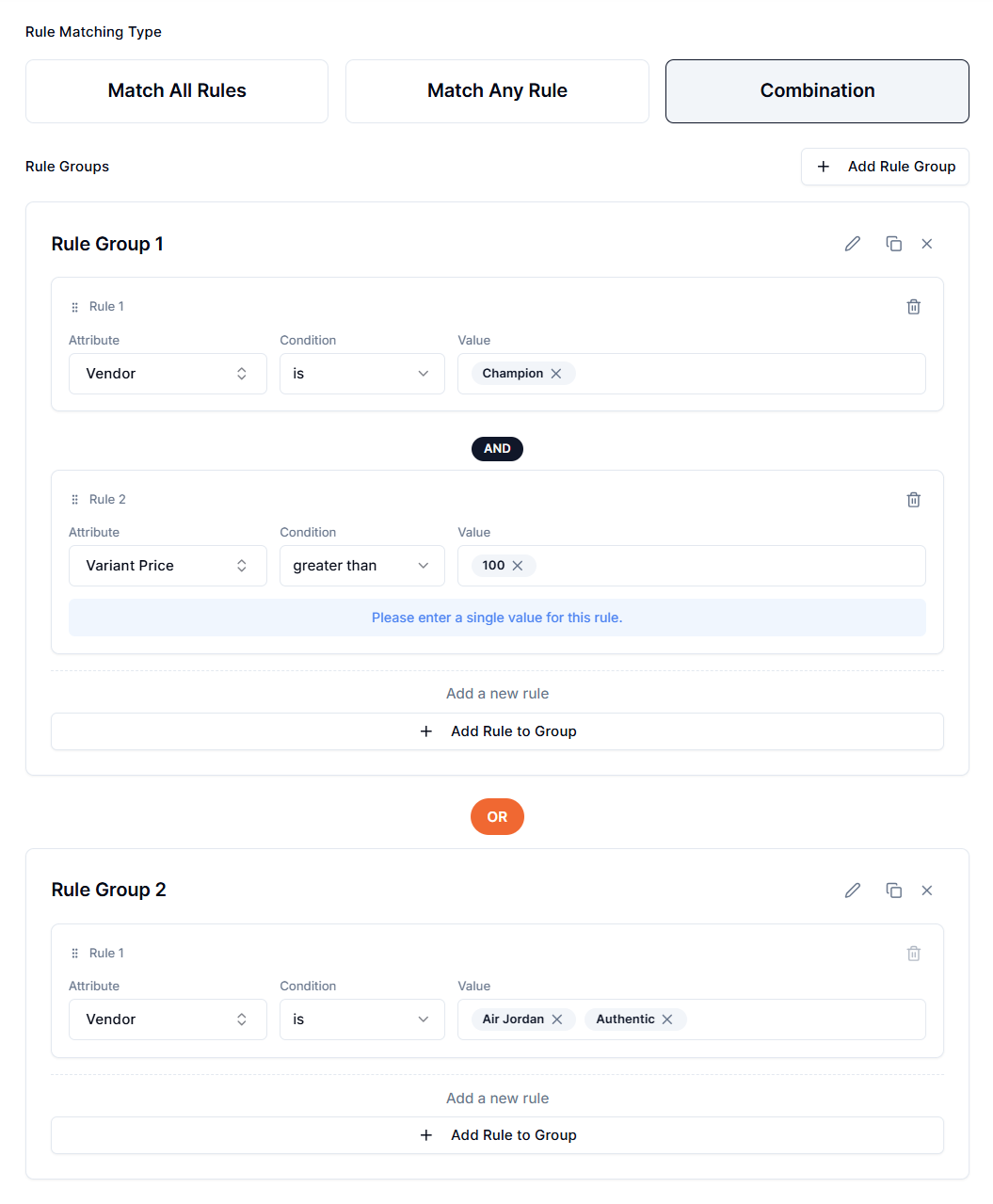
You want to discount products from Champion priced over $100, while also including all items from the other two brands, regardless of price.
Rule Group 1 (AND)
Rule 1: Vendor → is → Champion Rule 2: Variant Price → greater than → 100
Rule Group 2
Rule 1: Vendor → is → Air Jordan, Authentic
Result: The sale applies to products that match both rules in Group 1 (items from Champion over $100), OR any product that matches Group 2 (items from Air Jordan or Authentic). A $50 Champion product isn’t included, but a $30 Air Jordan product is included.
When to Use Combination?#
- Implementing multi-layered targeting logic that mirrors a real-world business case.
- To consolidate what would otherwise require multiple separate price rules.
- For advanced merchandising strategies where precision and flexibility are equally important.
Evaluation Order#
When using Combination logic, the system evaluates the Groups independently.
- If a product matches Group A, it is included.
- If it matches Group B, it is included.
- If it matches both, it is included only once. The system handles deduplication automatically, so the discount is not applied twice to the same item.
Important Notes#
Changing Matching Types#
You can edit a sale and switch the rule type (e.g., from "Match All" to "Match Any") after it is created. However, saving this change will trigger a full re-sync of the rule. The app must recalculate which products are eligible, apply discounts to new matches, and revert prices for products that no longer match the new criteria.
Conflicting Rules in "Match All"#
If you create a logical impossibility under the Match All setting, for example, Vendor is Adidas AND Vendor is Air Jordan, the result will be zero products. The "Match All" logic requires a product to satisfy both conditions, which is impossible in a single-vendor field. You should use "Match Any" for this type of scenario or add a single rule with multiple vendors separated by commas. For example:
Attribute → Vendor Condition → is Value → Nike, Adidas
Discounts Are Independent of Rules#
The rule matching type only determines which products are selected for the sale. It doesn't affect the discount amount itself. The actual price change (e.g., 20% off) is configured separately in the discount logic section and applies uniformly to all selected products.
Need Help?#
If you’re unsure which Rule Matching Type to choose or need guidance on setting up complex Combination groups, our support team can assist.
Email support@bevycommerce.com, and we’ll help you ensure your rules target the right products.